CF7 Skins Multi is now available in the Contact Form7 Skins Visual Editor. Thanks to all Contact Form 7 Skins users who helped us by purchasing the add-on.

CF7 Skins Multi in the Visual Editor
Previously, you could create multi-page forms from the Contact Form 7 area.

Using this method to create multi-page forms was less intuitive and wasn’t easy to use for less tech-savvy users. The new version of CF7 Skins provides a much more interactive, intuitive, and easy-to-use method of creating multi-page forms directly from the Visual Editor.

Advantages of CF7 Skins Multi in the Visual Editor
Using CF7 Skins Multi in the Visual Editor offers the following advantages:
1. More interactive and easy-to-use features for creating multi-page forms.
2. A new feature to drag tabs to update their order.
3. An easier way to configure multi-options such as navigation links, pagination, and progress bar.
4. Improved UI for customizing the text displayed for the start, end, previous, and next buttons and the Thank You page displayed after users submit the form.
5. The new UI provides better aesthetic value.
How CF7 Skins Multi works in the Visual Editor
To create a multi-page form, it is a good idea to pre-plan and group the fields with respect to their required corresponding pages. When you have sketched this out, follow these steps to create multi-page forms using the Contact Form 7 Skins Visual Editor:
1. Create the fields for the default tab of the form.
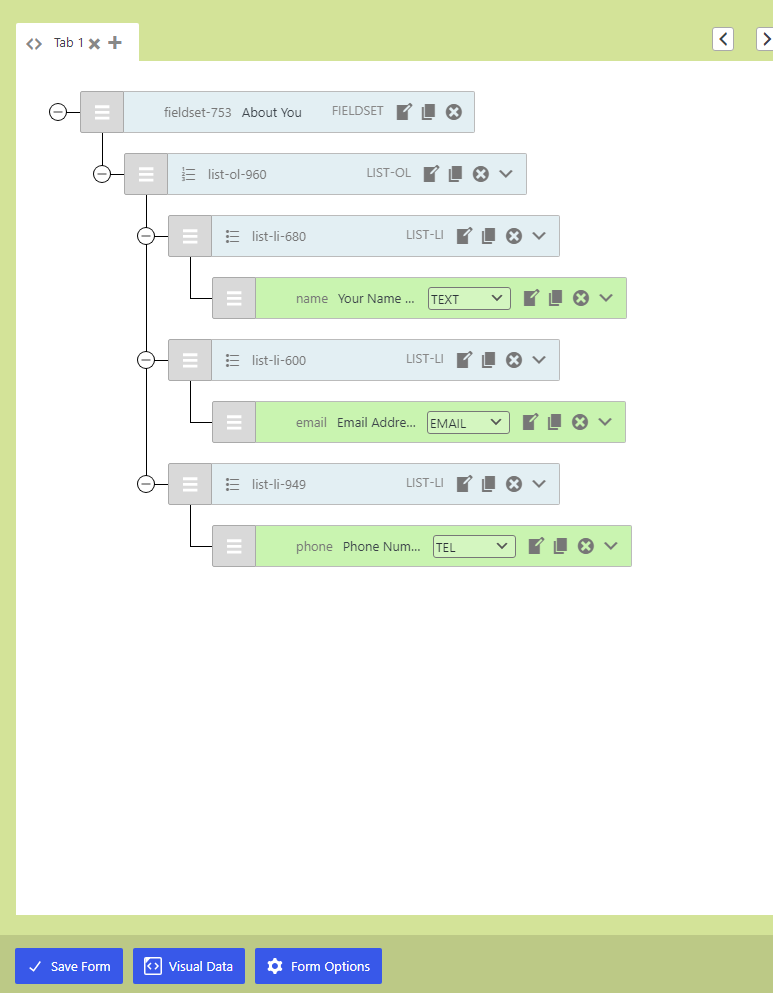
2. Add a new tab by clicking the + icon beside the current tab.

Tip: Each tab in the CF7 Skins Visual Editor is transformed into a new page in the final form.

3. Create the fields for the current tab.
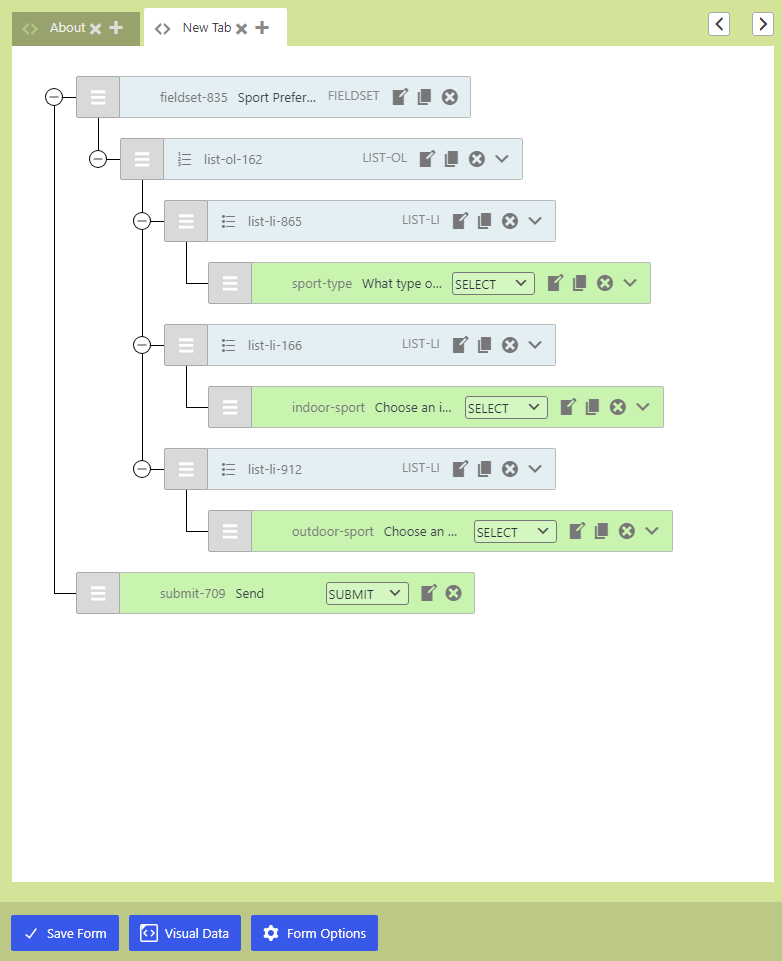
Tip: Repeat steps 2 and 3 to create as many tabs as you want.
4. For each tab, double-click their names to rename them into something meaningful.

5. Click Form Options and choose whether to display navigation links, progress bar, and pagination.

You can customize the text for the Start, End, Next, and Previous buttons from Form Options. You can also choose what appears in the Thank You page displayed after submitting the form.
Tip: Click here for a quick introduction and pricing information for CF7 Skins Multi.
The new Multi addon with the Contact Form 7 Skins Visual Editor provides an easier and a more interactive, intuitive, and quick method for creating multi-page Contact Form 7 forms. It also helps you easily customize navigational elements for your form and conveniently add a Thank you page.

Provides a complete solution for your Contact Form 7 forms
Further reading
- CF7 Skins Multi – Multi-page Contact Form 7 forms
- CF7 Skins Multi (with Visual Editor)
- CF7 Skins Multi (with CF7 Form Editor)