Are you looking to set up a customer complaints form on your WordPress site? We’ve got you covered with our Free Customer Complaints Form for Contact Form 7!
The default form templateTemplate CF7 Skins Templates are the structure of your form, providing the content and layout. They act as an easy to follow guide that can be adjusted to your particular needs. in Contact Form 7 (CF7) is quite basic, which can leave new users feeling a bit lost. But don’t worry, that’s where we come in.
Our free plugin, Contact Form 7 Skins (CF7 Skins), available in the WordPress plugin directory, offers various templates, including a Customer Complaints Form template.
This guide will help you quickly create a customer complaints form for your WordPress site using our free template. You’ll be up and running in no time!

Step-by-Step Guide to Implement Customer Complaints Form Template
The default form template in Contact Form 7 (CF7) is quite basic.

Here is default CF7 Skins Customer Complaint Form Template


Advantages of using CF7 Skins Customer Complaint Form template
Here are some advantages of using the CF7 Skins Customer Complaint Form template:
- Pre-designed Template: The template comes pre-designed, saving you time and effort in creating a customer complaints form from scratch.
- User-friendly Interface: The drag-and-drop interface makes it easy to customize the form to meet your specific needs without requiring any coding knowledge.
- Responsive Design: The template is responsive, ensuring that the form looks great and functions well on all devices, including desktops, tablets, and smartphones.
- Customizable: Offers flexibility to add, remove, or modify fields to suit your specific requirements, providing a tailored experience for your users.
- Increased Trust: A professional and easy-to-use complaint form can help build trust with your customers, showing that you value their feedback.
Step 1: Install Contact Form 7 Plugin
- Log in to your WordPress dashboard.
- Go to Plugins > Add New.
- In the search bar, type “Contact Form 7”.
- Click Install Now next to the Contact Form 7 plugin.
- Once installed, click Activate.
Step 2: Install CF7 Skins Plugin
- Go to Plugins > Add New.
- In the search bar, type “CF7 Skins”.
- Click Install Now next to the CF7 Skins plugin.
- Once installed, click Activate.
Step 3: Create a New Form in Contact Form 7
- Go to Contact > Add New.
- Enter a title for your new form, e.g., “Customer Complaints Form”.
- You’ll see the CF7 Skins panel below. Click on Template Tab.
- Choose Customer Complaints Form Template from the list of templates.
- Click Select and then Click on Save Form.

Step 4: Customize the Customer Complaints Form Template
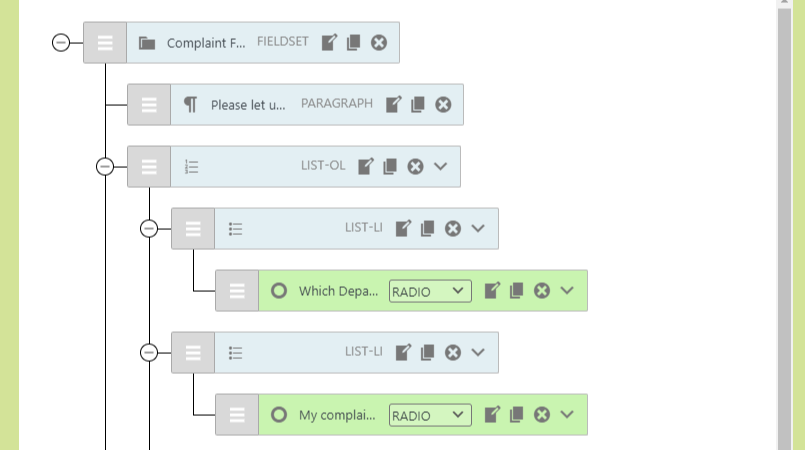
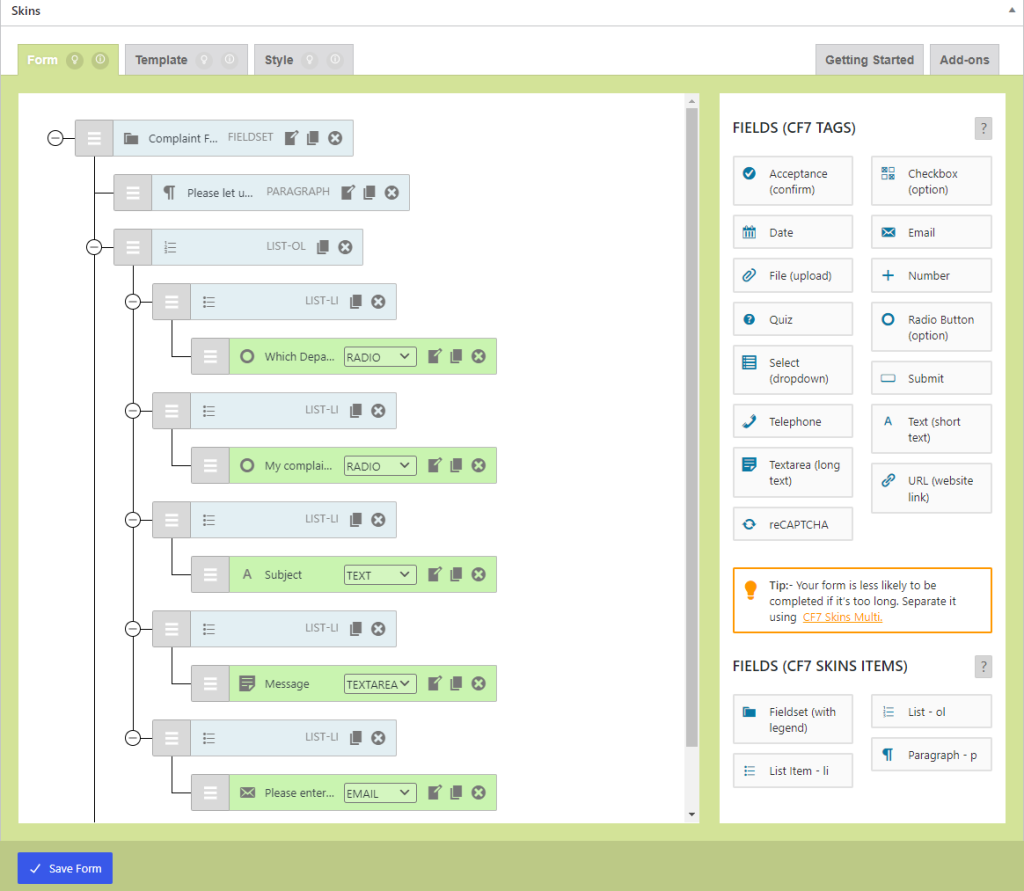
You can customize customer Complaints Form Template according to your need by simply using drag and drop visual editor in CF7 Skins Section.

Step 5: Configure Additional Settings
- Click on the Mail tab to configure the email settings. Ensure the To field is set to your email address where you want to receive form submissions.
- Adjust other settings as needed, such as From, Subject, and Message Body.
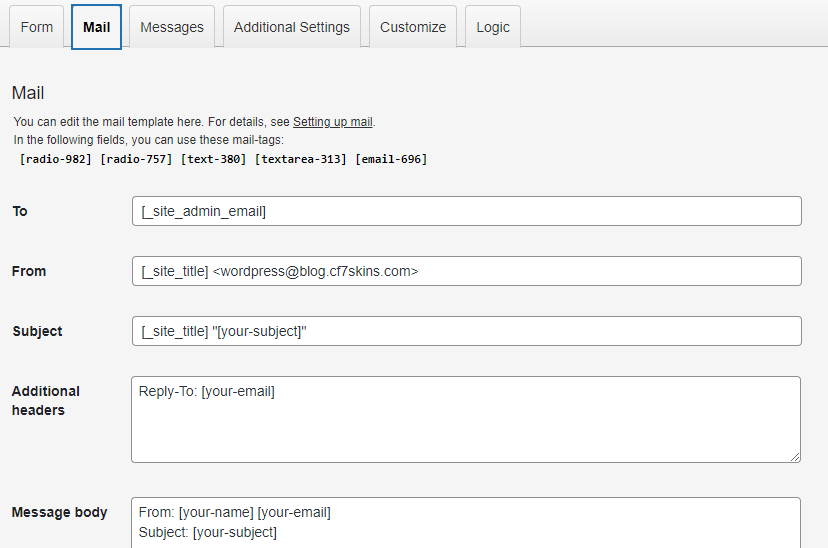
Tip: You can visit this guide to learn how to configure the mail settings.
Step 6: Save the Form
- Click Save to save your form.
Step 7: Add the Form to a Page or Post
- Copy the shortcode provided for your form. It looks something like this:

- Go to Pages or Posts in your WordPress dashboard and open the page or post where you want to add the form.
- Paste the shortcode into the editor where you want the form to appear.
- Click Update or Publish to save your changes.

Step 8: Preview and Test the Form
- Open the page or post where you added the form to see it live.
- Test the form by filling it out and submitting it to ensure it works correctly and that you receive the email notifications.
Here is the Customer Complaints Demo Form.
This form is made with CF7 Skins
Conclusion
By following these steps, you can easily install CF7 Skins and implement the Customer Complaints Form Template on your WordPress site. Enjoy the streamlined process of handling customer complaints with ease!
Further Reading:

Got questions or need assistance?
If you’re using the free version of CF7 Skins, you can find help through the CF7 Skins community or the Contact Form 7 Support forum.
If you’re using any of our Add-ons, we offer Premium Email Support to help with your questions and issues.