Skip to content
Facebook page opens in new windowX page opens in new window
CF7 Skins Blog
Great looking Contact Form 7 forms made easy
CF7 Skins Blog
  • Features
    • Visual Editor
    • Templates
    • Styles
    • Screenshots
    • Testimonials
  • Add-ons
    • Pricing
    • Bundles
    • Pro
    • Ready
      • Demo
    • Multi
      • Screenshots
    • Logic
      • Demo
  • Support
    • Email Support
    • Documentation
    • FAQ
    • Tutorials
    • How to Get Better, Quicker Support
    • Legal
    • Contact Us
  • Blog
  • Account
  • Features
    • Visual Editor
    • Templates
    • Styles
    • Screenshots
    • Testimonials
  • Add-ons
    • Pricing
    • Bundles
    • Pro
    • Ready
      • Demo
    • Multi
      • Screenshots
    • Logic
      • Demo
  • Support
    • Email Support
    • Documentation
    • FAQ
    • Tutorials
    • How to Get Better, Quicker Support
    • Legal
    • Contact Us
  • Blog
  • Account

2023

You are here:
  1. Home
  2. 2023

Using Special Mail Tags to improve your Contact Form 7 emails – Video

VideosBy Parth ParikhSeptember 28, 2023

This video demonstrates how to use Special Mail TagsMail Tag Mail Tags are used in Contact Form 7 (CF7) (in the Mail Tab) to show information collected from CF7 form fields (in the Form Tab) in emails sent by CF7. to improve your Contact Form 7 emails. Contact Form 7 Email Troubleshooter If you would…
Contact Form 7 Email Issues & Problems – Video

VideosBy Parth ParikhSeptember 28, 2023

This video demonstrates how to Setup the mail settings within Contact Form 7. Contact Form 7 Email Troubleshooter If you would like some help from our support staff & are willing to help us by providing information on your use of Contact Form 7 & CF7 Skins, you should complete the following form: This form…

Conversational form

Create conversational forms with CF7 Skins

Add-ons, CF7 Skins, Intermediate, NewsBy Panas SubediJuly 4, 2023

CF7 Skins lets you easily create a range of stylish and creative Contact Form 7 forms with its helpful features. However, you may still face the problem of abandoned forms. To improve form completion rates, you can create conversational forms using CF7 Skins add-ons. Conversational forms show only a few fields at a time, making…

Know which Contact Form 7 was submitted

Contact Form 7, Intermediate, News, TutorialsBy Panas SubediJune 6, 2023

Contact Form 7 (CF7) forms provide excellent reusability. You can use the same form on multiple posts of your website. You can even use the same form across multiple websites by using the Visual Data feature of the CF7 Skins Visual Editor. However, when you use the same form on multiple posts or multiple websites,…

File Upload field in CF7 form

How to Allow Users to Upload Files in CF7 Forms

Beginner, Contact Form 7, News, TutorialsBy Panas SubediMay 9, 2023

You can use the file attachment field of Contact Form 7 (CF7) to let users upload files in your website. This may be useful to display profile pictures for social interaction-based websites, to store CVs and cover letters for job search-based websites, or upload student submissions for a school website. In addition to file upload,…

HubSpot Banner

Connect Contact Form 7 with HubSpot

Contact Form 7, Intermediate, News, TutorialsBy Panas SubediApril 18, 2023

If you use HubSpot to manage your inbound marketing, sales, and customer services, you can easily connect Contact Form 7 (CF7) with HubSpot to directly add new Contacts, Companies, or any other HubSpot object using the submitted form data. This article will give you step-by-step instructions on using your Contact Form 7 form to directly…

Dropdown menu in CF7 Block

Contact Form 7 Block Editor Issue

Beginner, Contact Form 7, NewsBy Panas SubediMarch 7, 2023

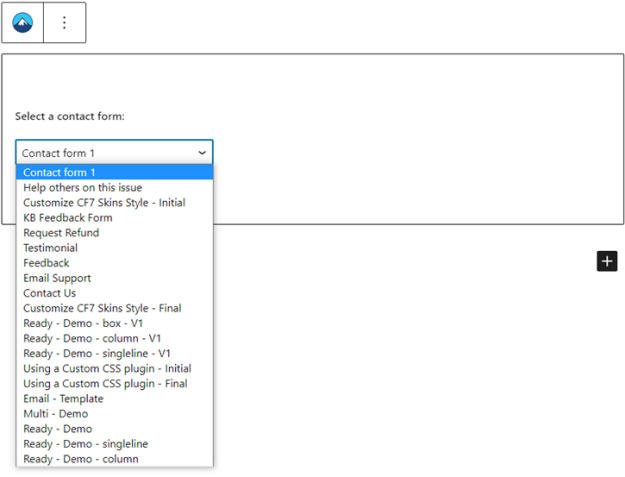
You can easily add a Contact Form 7 (CF7) form to a page or post using the WordPress Gutenberg/Block editor. However, sometimes you might not find your intended form in the selector menu of the block. If you face this issue, no need to worry. There’s an easy workaround to it. This article will show…

Go to Top