This page has been reviewed. No further changes are needed.
Contact Form 7 (CF7) users often like to add evenly spaced columns to their forms. However, many people find this task challenging because they don’t have a strong knowledge of HTML & CSS. CF7 Skins Ready, an add-on for our popular Contact Form 7 Skins plugin, makes it possible to do this with no knowledge…
Contact Form 7 switched from reCAPTCHA v2 to reCAPTCHA v3 Contact Form 7 (CF7) added support for reCAPTCHA v3 in version 5.1 following repeated requests from CF7 users. Immediately after this update, there was a large number of questions added in the CF7 Support Forum, asking for answers to problems users were experiencing with using reCAPTCHA v3 in…
You can start creating any form using our free General Use templates for Contact Form 7. Contact Form 7 (CF7) includes a default form templateTemplate CF7 Skins Templates are the structure of your form, providing the content and layout. They act as an easy to follow guide that can be adjusted to your particular needs.,…
Every day, we help thousands of people from all over the world solve their problems with using Contact Form 7. There are 5+ million Contact Form 7 users. Every day, 1000’s have problems using the plugin. We are here to help answer and solve those problems. Why Contact Form 7 It all started as a…
In your Contact Form 7 (CF7) forms, proper addition of links can provide valuable background information to the form inputs. Links can provide additional information either by displaying pop-up panels or by directing your users to other web pages. You can also use links to provide references and connections among the elements in your form.…
Contact Form 7 (CF7) is popular among millions of the WordPress (WP) users. However, many people may not know that there are some really useful and free Contact Form 7 extensions that allow you to save Contact Form 7 form submissions in the WordPress database. Advantages of Save Contact Form 7 extensions No need to…
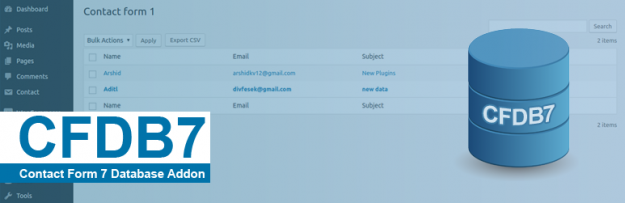
Contact Form 7 Database Addon – CFDB7 Contact Form 7 Database Addon (CFDB7) saves the Contact Form 7 submissions to the WordPress database. You do not have to configure the Contact Form 7 Database Addon at all. You simply need to install the plugin, and it automatically begins storing all the form submissions from the…
Advanced Contact form 7 DB Advanced Contact form 7 DB saves all Contact Form 7 submissions to the WordPress database with multiple features that you can use readily after installing and activating it. One of the most robust features of this plugin is its multisite compatibility as it stores data for each site individually. You…
Contact Form Advanced Database – CFADB Contact Form Advanced Database stores all the form submission information by grouping them based on their Contact Form 7 shortcodes. It provides a simple UI to manage all the people who have sent an email using your website form, and record all the form details that are submitted. One…
Contact Form Submissions Contact Form Submissions starts saving all the Contact Form 7 submissions once it is activated. You can also view these submissions in the WordPress dashboard and export them in a CSV file. This plugin is one of the easiest plugins to install as you do not have to configure it. Moreover, you…