Contact Form Submissions Contact Form Submissions starts saving all the Contact Form 7 submissions once it is activated. You can also view these submissions in the WordPress dashboard and export them in a CSV file. This plugin is one of the easiest plugins to install as you do not have to configure it. Moreover, you…
The Contact Form 7 (CF7) plugin successfully sends millions of emails every day. But, there are a wide variety of issues that can delay or stop your Contact Form 7 emails. Follow along and learn how to prevent your Contact Form 7 emails getting rejected as spam. There are a few simple checks you can…
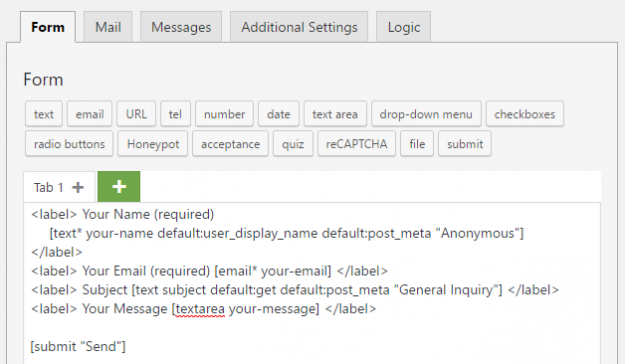
Contact Form 7 provides many features to make your forms as simple or complex as you need. One of these important features is the ability to use Default Values in your form fields. In this article, we will cover the four main ways that Default Values can be used in Contact Form 7 and how to…
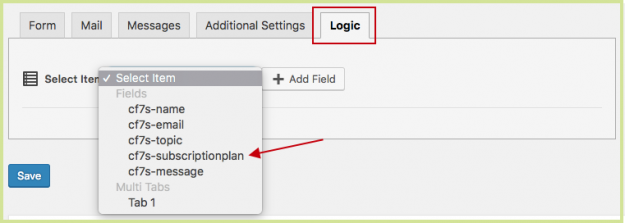
Automatically show a field, like a checkbox, when you need more information based on a previous response. This is called Conditional Logic and your forms will be shorter, more personalized, and easier for your users to fill out. Contact Form 7 doesn’t have conditional logic included and to build it yourself requires an advanced WordPress…
The Contact Form 7 (CF7) plugin successfully sends millions of emails every day. Still, many do not send or arrive. This is often because the Contact Form 7 From: email address mail setting is incorrect. A simple and effective way to avoid most problems is to always use an email address that belongs to the…
A GDPR checkbox is a way for your customers to consent to their form submission data being stored. Adding in any links, such as a link to a Privacy Policy or Terms of Use, clarifies why and how you are storing their data. Have a privacy-friendly acceptance checkbox by copying and pasting the code below.…
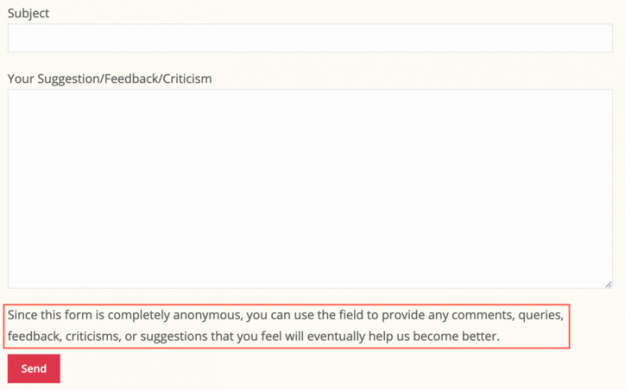
This article is about adding paragraphs using the Contact Form 7 form editor. To learn about adding paragraphs using the CF7 Skins Visual Editor, see Adding paragraphs in your Contact Form 7 forms (with Visual Editor). . Sometimes adding labels plus placeholders is just not enough to describe the input fields of a Contact Form 7 (CF7)…
Whether you are editing forms or creating them for the first time, follow these tips to save time using bulk duplicate or delete, drag & drop to sort and re-arrange, and show or hide entire sections. First, you need to download the free plugin from CF7 Skins. It will provide you with a free visual…
CF7 (CF7) is one of the most popular plugins available for WordPress. It allows users to quickly create customised forms, anywhere on a WordPress website. While the forms are easy to create and implement, the fields within them are styled minimally – allowing them to blend in with most websites. The appearance of each CF7…
Though the Contact Form 7 (CF7) plugin successfully sends millions of emails every day, there are a host of issues that can delay or stop emails on both the sending and receiving ends of a typical email. This article was set up to help people, who are having trouble sending and receiving emails from CF7,…