This page has been reviewed. No further changes are needed.
Starting with version 4.9, Contact Form 7 (CF7) has made it mandatory to have a default option checked for radio buttons. If a radio button is not selected, a validation error will appear. In other words, it is now required to have a default radio button pre-selected. The author of CF7, Takayuki Miyoshi, believes a…
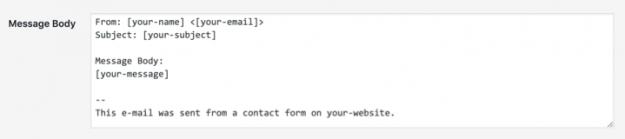
Contact Form 7 (CF7) is popular among millions of the WordPress (WP) users. However, for beginner users, getting used to CF7 can be challenging. A common mistake beginners make is not adding Mail Tags which match with their Form Tags. In this article, we explain how to match mail tagsMail Tag Mail Tags are used…
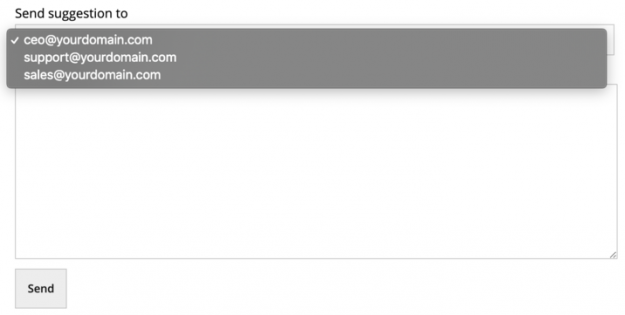
Sometimes, while designing a Contact Form 7 (CF7) form on your website, you may need to use selectable email addresses in your Contact Form 7 form. For example, assume that you are designing a suggestion form where users can select a specific department of your company to send the suggestion. Here, you can create a…
You can make your Contact Form 7 (CF7) forms more readable & easy to use by adding helpful text labels on each form field. Adding suitable text labels in your forms offers the following advantages: They help form users understand your form and let them know what is required in each field Clicking on the…
Contact Form 7 (CF7) is a very popular WordPress plugin used by millions. However, for beginner users, getting started with Contact Form 7 can be challenging. In this article, we have listed 5 common mistakes beginners make when they start using Contact Form 7 and how you can avoid them. The five common beginners mistakes…
Check your forms for error messages A simple way to find out whether or not your form is working is by checking the error messages. The different error messages are: 1. Green bordered success message: You receive a message with a green border when your form is submitted successfully. This message looks like: Tip: Sometimes…
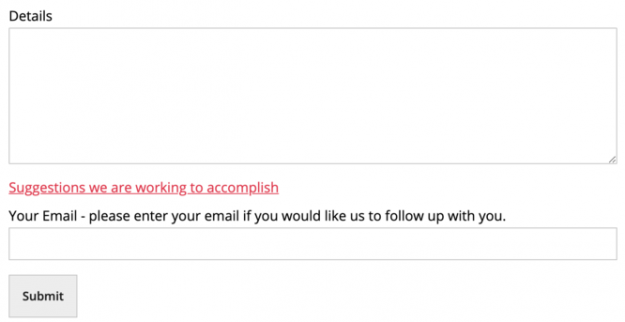
A Contact Form 7 (CF7) form can have much more than just some fields for taking user inputs and a submit button. You can make your form more flavored by adding just the right combination of input fields, paragraphs, links, text, labels, and buttons. In this article, we show you how to add links, paragraphs,…
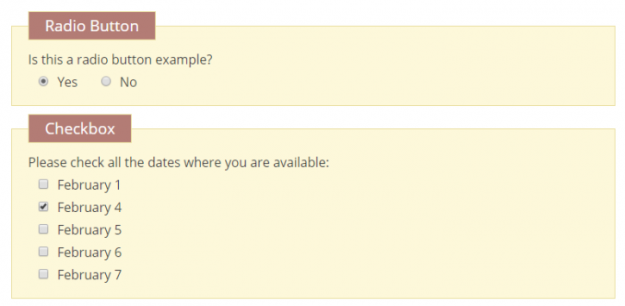
Checkboxes and radio buttons are preferred in many forms to show different options available to the users quickly. You can make better checkboxes & radio buttons for your Contact Form 7 (CF7) forms by understanding how to use them and the different types of modifications available. In this article, we show you how to create…
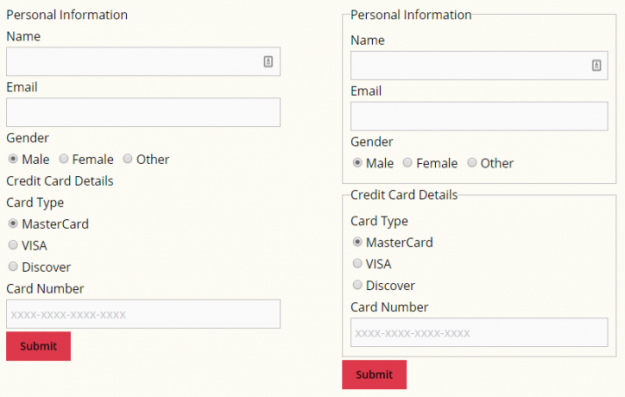
While designing a Contact Form 7 (CF7) form using CF7 Skins, it is recommended to group the form into fieldsets with their respective legends. Use of fieldsets in a form helps you divide the inputs into logical groups. Apart from being a good form design principle, it also helps the users fill out the form…
Your forms are one of the main sources of direct communication between you and your users. You should take particular care while designing the Contact Form 7 forms on your website. However, creating a well-designed form is easier said than done. There are many factors that affect a user’s experience while filling out an online…