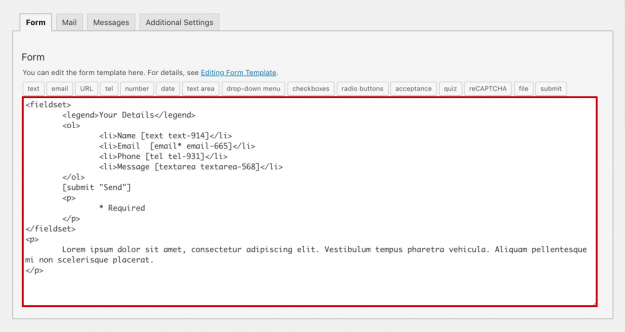
You can start creating any form using our free General Use templates for Contact Form 7. Contact Form 7 (CF7) includes a default form templateTemplate CF7 Skins Templates are the structure of your form, providing the content and layout. They act as an easy to follow guide that can be adjusted to your particular needs.,…
A Contact Form 7 (CF7) form can have much more than just some fields for taking user inputs and a submit button. You can make your form more flavored by adding just the right combination of input fields, paragraphs, links, text, labels, and buttons. In this article, we show you how to add links, paragraphs,…
The Contact Form 7 (CF7) plugin successfully sends millions of emails every day. Still, many do not send or arrive. This is often because the Contact Form 7 From: email address mail setting is incorrect. A simple and effective way to avoid most problems is to always use an email address that belongs to the…
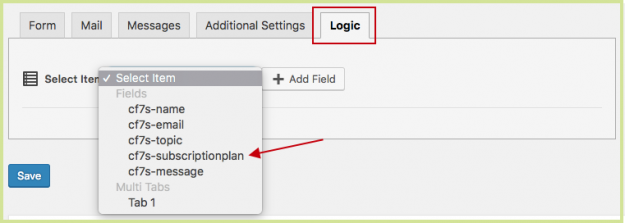
Automatically show a field, like a checkbox, when you need more information based on a previous response. This is called Conditional Logic and your forms will be shorter, more personalized, and easier for your users to fill out. Contact Form 7 doesn’t have conditional logic included and to build it yourself requires an advanced WordPress…
This tutorial is about creating better checkboxes & radio buttons using the Contact Form 7 Tag Editor. To learn about doing this in the CF7 Skins Visual Editor, see Better Contact Form 7 Checkboxes & Radio Buttons (with CF7 Skins Visual Editor) . Checkboxes and radio buttons are commonly used on many types of forms…
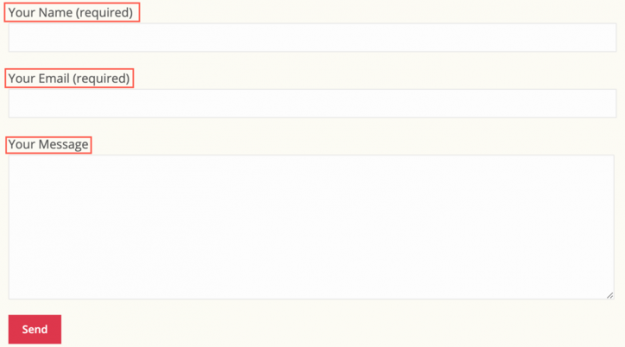
You can make your Contact Form 7 (CF7) forms more readable & easy to use by adding helpful text labels on each form field. Adding suitable text labels in your forms offers the following advantages: They help form users understand your form and let them know what is required in each field Clicking on the…
Whether you are editing forms or creating them for the first time, follow these tips to save time using bulk duplicate or delete, drag & drop to sort and re-arrange, and show or hide entire sections. First, you need to download the free plugin from CF7 Skins. It will provide you with a free visual…
This article is about adding text labels using the Contact Form 7 form editor. To learn about adding text labels using the CF7 Skins Visual Editor, see Adding text labels in your CF7 forms (with Visual Editor). . You can make your Contact Form 7 (CF7) forms more readable & easy to use by adding helpful…
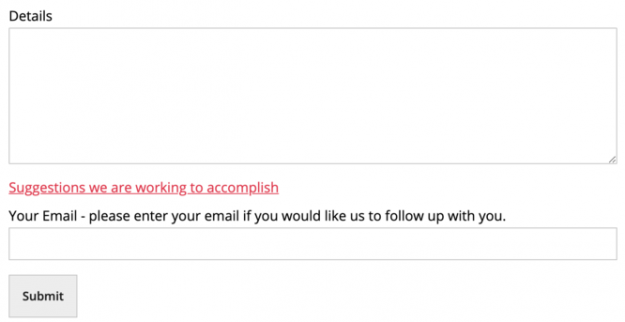
Sometimes adding labels plus placeholders is just not enough to describe the input fields of a Contact Form 7 (CF7) form so that form users can easily understand what input is expected. In those cases, you can add paragraphs in between the fields to tell your users exactly what you require from them or give…
In your Contact Form 7 (CF7) forms, proper addition of links can provide valuable background information to the form inputs. Links can provide additional information either by displaying pop-up panels or by directing your users to other web pages. You can also use links to provide references and connections among the elements in your form.…