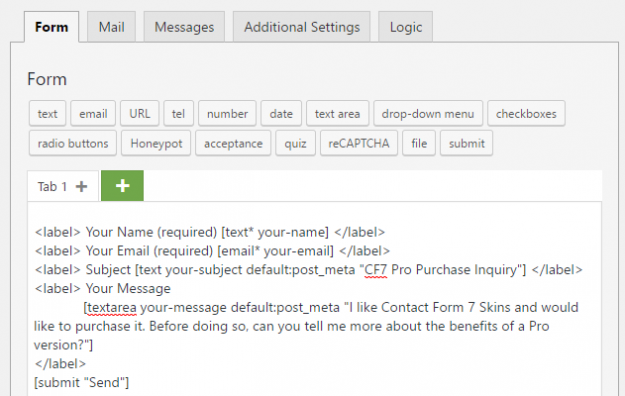
Contact Form 7 (CF7) provides many features to make your forms as simple or complex as you need. One of these important features is the ability to use Default Values in your form fields. In this article, we will show you how to use default values from the post meta in your CF7 forms. When…
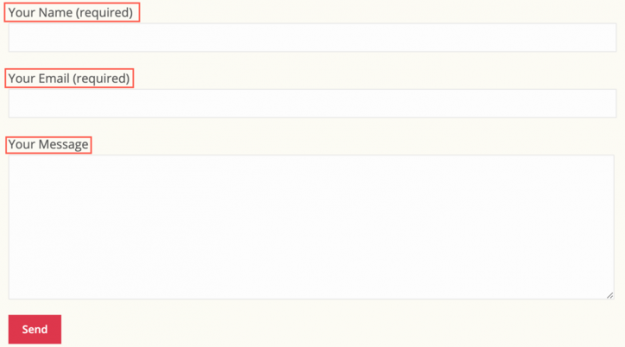
You can make your Contact Form 7 (CF7) forms more readable & easy to use by adding helpful text labels on each form field. Adding suitable text labels in your forms offers the following advantages: They help form users understand your form and let them know what is required in each field Clicking on the…
Whether you are editing forms or creating them for the first time, follow these tips to save time using bulk duplicate or delete, drag & drop to sort and re-arrange, and show or hide entire sections. First, you need to download the free plugin from CF7 Skins. It will provide you with a free visual…
CF7 Skins Multi is now available in the Contact Form7 Skins Visual Editor. Thanks to all Contact Form 7 Skins users who helped us by purchasing the add-on. CF7 Skins Multi in the Visual Editor Previously, you could create multi-page forms from the Contact Form 7 area. Using this method to create multi-page forms was…
Some users of Contact Form 7 prefer to use an image as their form button, instead of the default submit button. In this tutorial, we’ll walk you through how to accomplish this using Contact Form 7 and our popular Contact Form 7 Skins plugin. But before we get started, there are a few things you…
This article is about adding text labels using the Contact Form 7 form editor. To learn about adding text labels using the CF7 Skins Visual Editor, see Adding text labels in your CF7 forms (with Visual Editor). . You can make your Contact Form 7 (CF7) forms more readable & easy to use by adding helpful…
Adding placeholders to your Contact Form 7 (CF7) forms offers the following advantages: Make it easier for users to understand the info required in your form Include detailed examples in each form field Supplement shorter information given in form field labels. In this article, we show you how to add placeholders in your Contact Form…
Sometimes adding labels plus placeholders is just not enough to describe the input fields of a Contact Form 7 (CF7) form so that form users can easily understand what input is expected. In those cases, you can add paragraphs in between the fields to tell your users exactly what you require from them or give…
In your Contact Form 7 (CF7) forms, proper addition of links can provide valuable background information to the form inputs. Links can provide additional information either by displaying pop-up panels or by directing your users to other web pages. You can also use links to provide references and connections among the elements in your form.…
Your forms are one of the main sources of direct communication between you and your users. You should take particular care while designing the Contact Form 7 forms on your website. However, creating a well-designed form is easier said than done. There are many factors that affect a user’s experience while filling out an online…