Sometimes, you may need to duplicate a Contact Form 7 (CF7) form on your current website to another website. Manually copying the form can be time-consuming and prone to human errors. Contact Form 7 Skins now offers a better way to duplicate a Contact Form 7 form across multiple websites by exporting it from one…
Starting from CF7 Skins Pro version 2.1, CF7 Skins introduces a new HTML element. You can use this item to easily add HTML Tags that you require in your form. In this article, we cover how you use the HTML element to add HTML tags in CF7 Skins forms quickly and easily. What’s New? The…
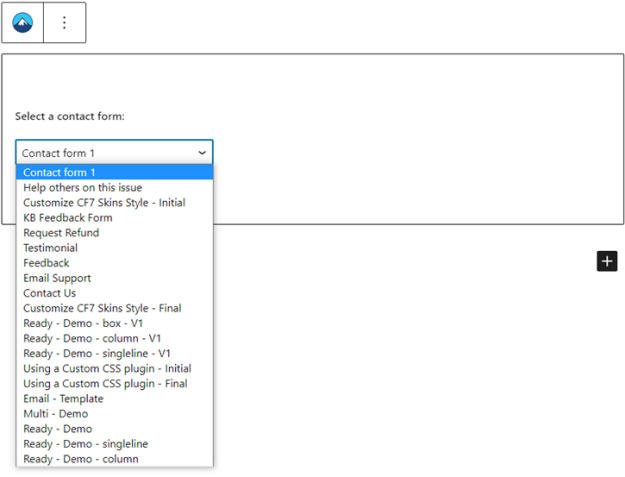
You can easily add a Contact Form 7 (CF7) form to a page or post using the WordPress Gutenberg/Block editor. However, sometimes you might not find your intended form in the selector menu of the block. If you face this issue, no need to worry. There’s an easy workaround to it. This article will show…
You can use the file attachment field of Contact Form 7 (CF7) to let users upload files in your website. This may be useful to display profile pictures for social interaction-based websites, to store CVs and cover letters for job search-based websites, or upload student submissions for a school website. In addition to file upload,…
If you use an external email service to send emails, you can seamlessly integrate the email service with Contact Form 7 (CF7) using WP Mail SMTP. You can use this to automatically send & receive email notifications on your CF7 form submissions. This feature may come in handy when: You are more comfortable using an…
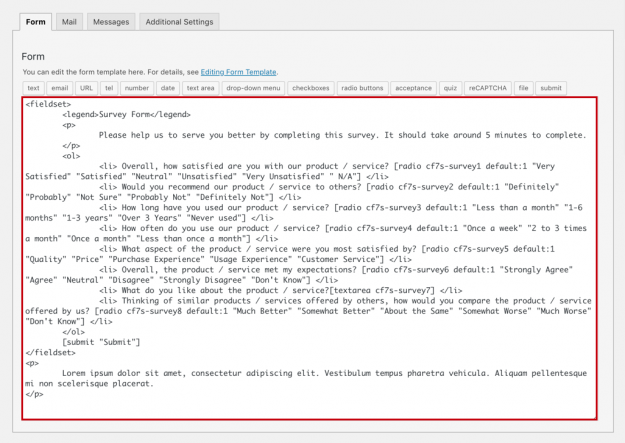
You can start creating your own Survey Form with our free Survey Form templateTemplate CF7 Skins Templates are the structure of your form, providing the content and layout. They act as an easy to follow guide that can be adjusted to your particular needs.. Contact Form 7 (CF7) includes a default form template, but it…
Each CF7 form has a unique id which can be targeted in your CSS changes. Use Firebug or Chrome Dev Tools to find this unique id in your CF7 form. Then target only this CF7 form using CSS heirachy as follows: You can also add id and class attributes to a CF7 form by adding…
You can configure a Contact Form 7 (CF7) form to send email notifications every time the users submit the form. Sometimes, you may need to add file attachments to the emails as well. In this article, we show you how to attach files in the emails sent on each form submission of your Contact Form…
You may want to redirect users to a thank you page after they submit a Contact Form 7 (CF7) form on your website. Before the end of 2017, you could do this using the on_sent_ok hook. However, the hook has now been deprecated and you cannot use it anymore to redirect users to a thank…
Once you start to add placeholders in your Contact Form 7 (CF7) forms, learning some different ways to use them, helps you to enhance your forms and ultimately your user’s experience. In this article, we teach you some different ways to use placeholders in your Contact Form 7 forms. Before you begin Before you start…