If you use HubSpot to manage your inbound marketing, sales, and customer services, you can easily connect Contact Form 7 (CF7) with HubSpot to directly add new Contacts, Companies, or any other HubSpot object using the submitted form data. This article will give you step-by-step instructions on using your Contact Form 7 form to directly…
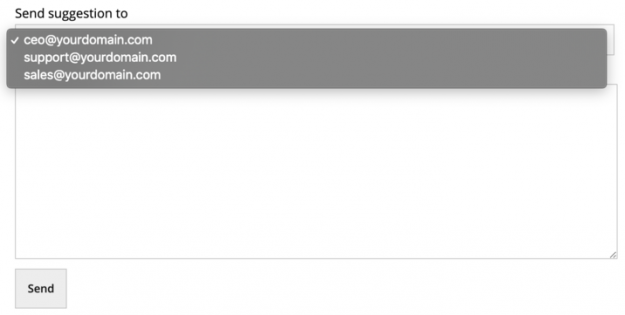
Sometimes, while designing a Contact Form 7 (CF7) form on your website, you may need to use selectable email addresses in your Contact Form 7 form. For example, assume that you are designing a suggestion form where users can select a specific department of your company to send the suggestion. Here, you can create a…
The Contact Form 7 (CF7) plugin successfully sends millions of emails every day. Still, many do not send or arrive. This is often because the Contact Form 7 From: email address mail setting is incorrect. A simple and effective way to avoid most problems is to always use an email address that belongs to the…
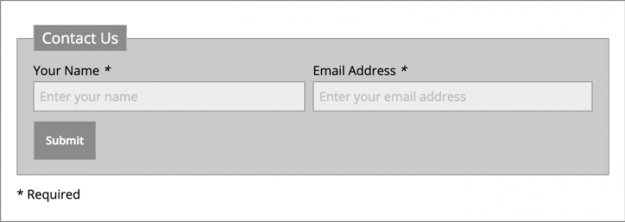
Almost every one of us has used placeholders – whether it was to signup for a Gmail account or completing a feedback form. Contact Form 7 (CF7) also lets you add placeholders on your contact forms to enhance your users’ experience. In this article, we show you how to add placeholders in your Contact Form…
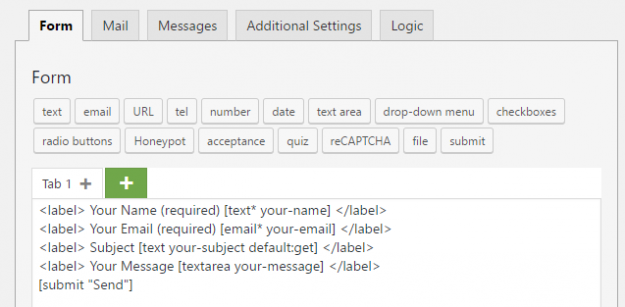
Contact Form 7 (CF7) provides many features to make your forms as simple or complex as you need. One of these important features is the ability to use Default Values in your form fields. In this article, we will show you how to use default values from HTTP requests in your CF7 forms. When to…
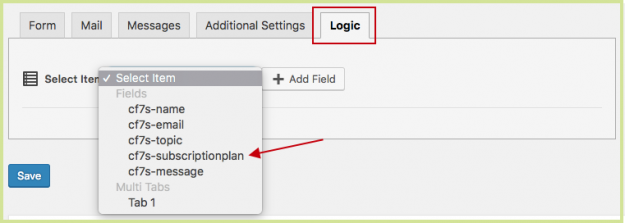
Automatically show a field, like a checkbox, when you need more information based on a previous response. This is called Conditional Logic and your forms will be shorter, more personalized, and easier for your users to fill out. Contact Form 7 doesn’t have conditional logic included and to build it yourself requires an advanced WordPress…
CF7 Skins Ready – our premium Add-on that provides a range of useful pre-defined styles for use in all Contact Form 7 forms – is now available for purchase. There are a number of common stying options that many Contact Form 7 users like to add to their forms. However adding these styles requires detailed…
This tutorial is about creating better checkboxes & radio buttons using the Contact Form 7 Tag Editor. To learn about doing this in the CF7 Skins Visual Editor, see Better Contact Form 7 Checkboxes & Radio Buttons (with CF7 Skins Visual Editor) . Checkboxes and radio buttons are commonly used on many types of forms…
Once you start adding placeholder in your Contact Form 7 (CF7) forms, learning different ways to use them helps you enhance your forms and ultimately the user experience. Tip: In this article, we show you how to use placeholders as example text, which gives further information on the inputs required on each form field. Placeholder…
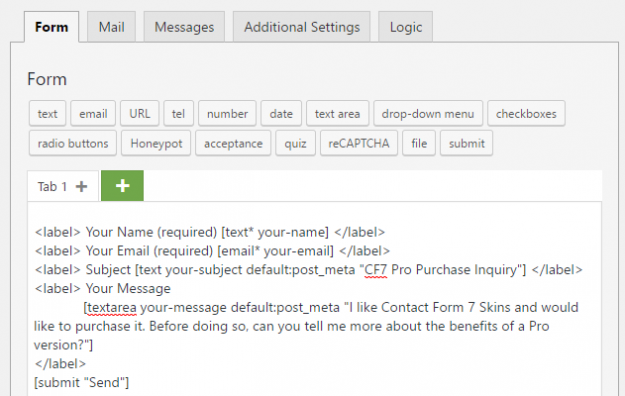
Contact Form 7 (CF7) provides many features to make your forms as simple or complex as you need. One of these important features is the ability to use Default Values in your form fields. In this article, we will show you how to use default values from the post meta in your CF7 forms. When…