This page has been reviewed. No further changes are needed.
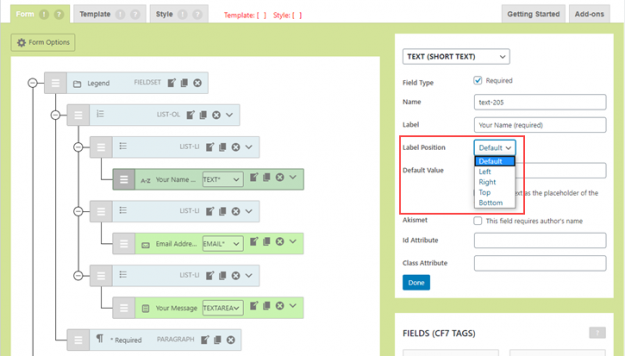
CF7 Skins Ready now offers you a Label Position option for each form field. Using this option, you can choose where to display a label with respect to a form field. In this article, we show you how to use the Label Positions option from the CF7 Skins Visual Editor quickly and easily. What’s New?…
If you use MailChimp to manage subscribers for your marketing services, you can easily integrate the Contact Form 7 (CF7) forms on your website with MailChimp. MailChimp lets you manage and talk to your subscribers by automating the process of sending emails for a group of people in your mailing lists. However, manually creating mailing…
A date field is included in
The Contact Form 7 Datepicker was a handy plugin sometimes used to add a datepicker field in Contact Form 7 (CF7) forms. It has recently removed from the WordPress Plugin Directory due to a high severity security vulnerability. This article explains why the Contact Form 7 Datepicker plugin was removed from the WordPress Plugin Directory…
Using Date Time Picker Field, you can easily add a date and time picker to your Contact Form 7 forms. Date Time Picker Field provides many features including: time picker as well as date picker display only the date picker or only the time picker 15 selectable date formats and 2 selectable time formats customizable…
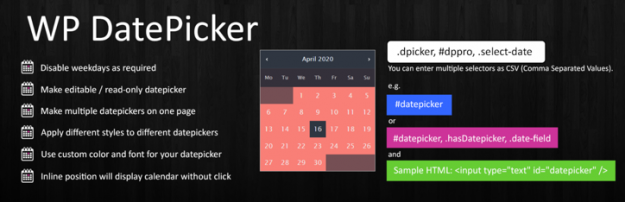
WP Datepicker is a lightweight plugin which can display a date picker on any Contact Form 7 form field. WP Datepicker provides features such as: option to change language enable date picker for the admin dashboard enable or disable weekend selection. It’s easy to integrate with Contact Form 7 forms. You simply need to add…
Once you start to add placeholders in your Contact Form 7 (CF7) forms, learning some different ways to use them, helps you to enhance your forms and ultimately your user’s experience. In this article, we teach you some different ways to use placeholders in your Contact Form 7 forms. Before you begin Before you start…
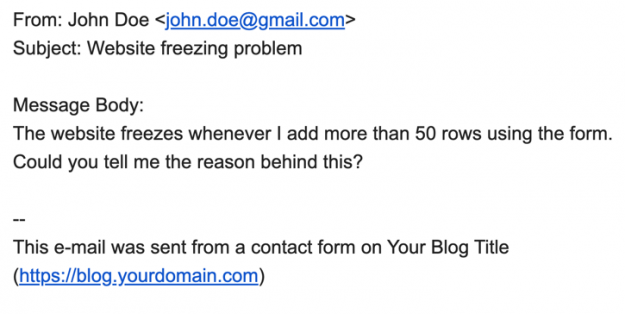
Contact Form 7 (CF7) includes a simple way for you to receive all the information submitted in your forms directly in your email inbox. In this article, we show how to add the submitted form information in your Contact Form 7 emails. Using submitted form data in your CF7 emails You can add all the…
Contact Form 7 (CF7) sends you an email every time a user submits the corresponding form. However, you cannot dynamically change the content of the email based on the data submitted by the user. To address this problem, you can use CF7 Skins Logic to add conditional logic in the emails sent by CF7 &…
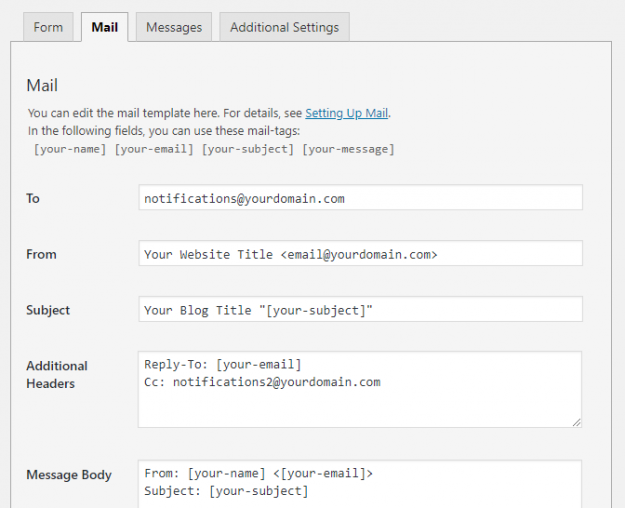
In Contact Form 7 (CF7) you need to use the Mail tab to configure the form to send an email every time your users submit a form. However, setting up mail correctly in CF7 can be confusing & difficult for beginners. In this article, we show you how to set up mail in your Contact…